


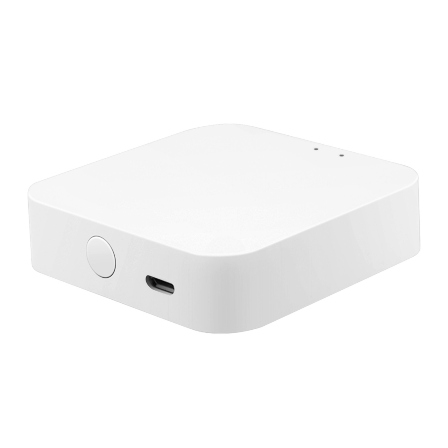
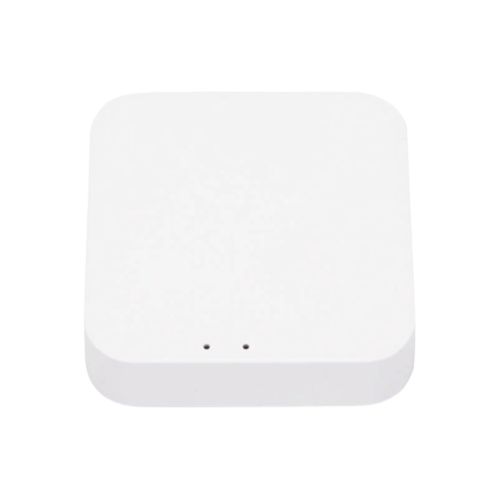
Hugolog Bluetooth Deadbolt Access Point
Bluetooth access point that bridges your Hugolog deadbolt to the internet for remote control and alerts. Lock and unlock from anywhere, manage users, and get status updates without needing to be within Bluetooth range. Ideal for rentals, guests, and busy households.
Tax excluded. Shipping calculated at checkout
Buying more than one item? Check with us for our best offer.
Authorized seller with manufacturer warranty, tracked U.S. shipping, and real help before and after your purchase.
Need help with product fit, compatibility, or setup?
Contact us or call (949) 944-2327
A tracking number is provided by email after the order has shipped. U.S. only: Orders usually process in 1 to 2 business days, with delivery typically taking 3 to 6 business days after shipment. Free shipping on orders over $499.99 For more information, please see our Shipping Policy here.
We accept returns within 30 days of delivery for unused, uninstalled items in original packaging. Many products also include a manufacturer warranty. For more information, please see our Refund Policy here.
Product Specifications
Hugolog Bluetooth Deadbolt Access Point
Product Details
Key Features
FAQ
RELATED PRODUCTS
Discover Other Products You Might Like and Simplify Your Search
Why Customers Keep Coming Back
Real feedback from customers nationwide on our service, shipping, and support.

M. from New Jersey
Outstanding customer service speakers arrived cross country Cali to New Jersey in spectacular condition.
Great communication great packaging would buy again.
G. from Texas
Place a large order and was able to accommodate me quickly and parts were delivered as promised
B. from Texas
Arrived promptly & in excellent condition with all required parts. Sounds great and impedance matches other speakers.
S. from Florida
Excellent customer service! Picks up the phone. Fast delivery across the country. Worthy online retailer!

M. from Louisiana
Product arrived quickly and in good condition. The price was very competitive. I’m very satisfied. I highly recommend the seller.
G. from Texas
Bear Security Shop has a great customer service, and is fast and easy to do business with. I've ordered product from them twice with great service both times. Would definitely recommend them.
J. from Los Angeles
Excellent customer service. Lightning fast shipping. Very grateful for the team at Bear Security. Thank you!
T. from Oklahoma
Trustworthy, honest, and plus integrity, with outstanding professionalism! I highly recommend them buy with confidence!
C. from Colorado
Experience with Bear Security Shop was fast and easy and the speakers arrived less than we week after ordering. And the price was half what my installer wanted to charge me for these speakers. Highly recommended.
V. from California
Excellent communication. Prompt responses and very knowledgeable and helpful. Items arrived faster than expected and in brand new condition as described. Will continue to do business with them.
C. from South Dakota
Awesome camras well worth the money good seller would buy again 👍